Find a role. Keep the details.
Fill the title, company, location, and description from supported Indeed and LinkedIn listings. On other sites, select the text you want.
FREE CHROME JOB APPLICATION TRACKER
JobTrail is a free Chrome extension for a calmer job search. Save job listings, track every application, and keep your notes and interview reminders in one place.
Add to Chrome — it’s freeNo account. No subscription. Just your next opportunity.
▶ See it in 24 secondsFirst, open JobTrail beside a listing and fill from Indeed or LinkedIn. Review the details and save. On other sites, click Extract from page, select text, and click Use selection. In the dashboard, update job statuses, search, filter, and sort your applications. Finally, add personal notes, an interview date and time, and a reminder, then save the job.
LESS ADMIN. MORE MOMENTUM.
One small place for every opportunity.
Built to fit the way you already browse.
Fill the title, company, location, and description from supported Indeed and LinkedIn listings. On other sites, select the text you want.
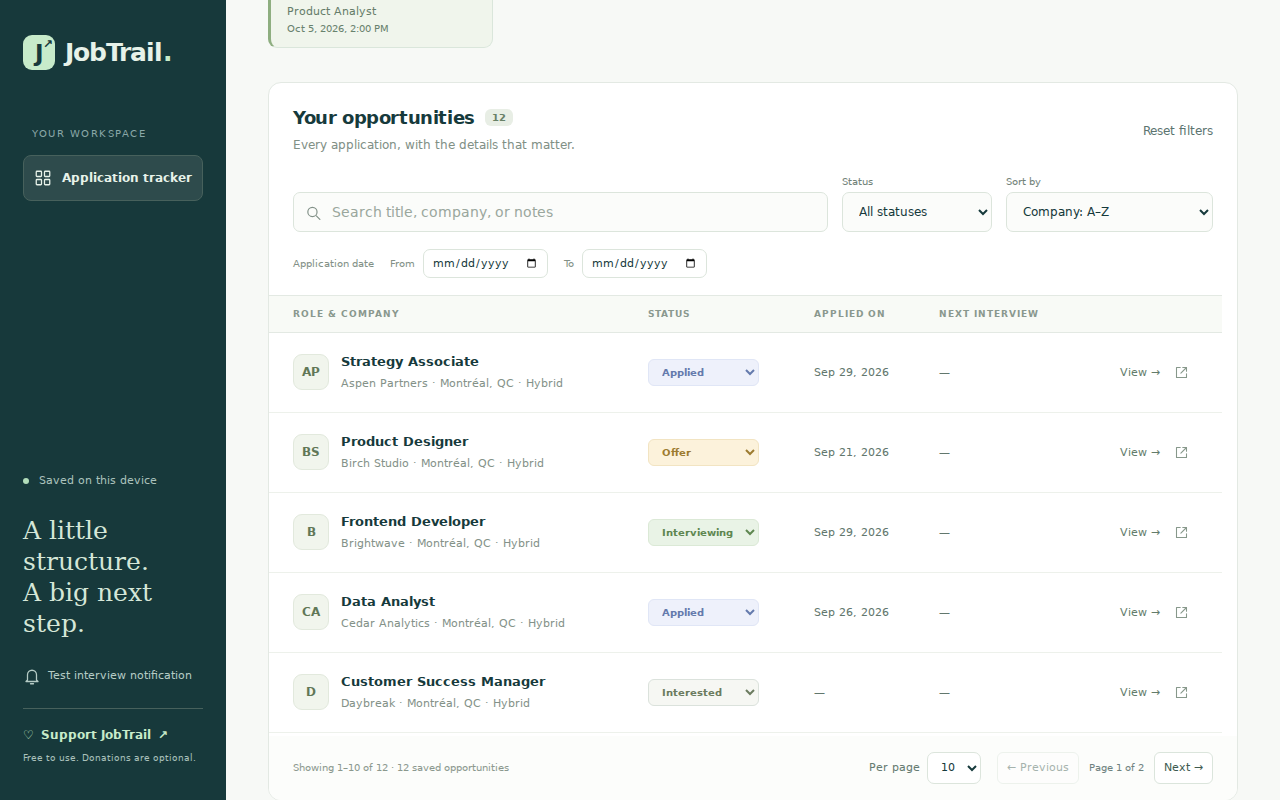
Interested, applied, interviewing, offer. Update your status, add notes, and filter by application date so nothing gets lost in the shuffle.
Save interview dates, choose a reminder, and keep your preparation notes beside the original job description—even after the listing disappears.
YOUR SEARCH. YOUR SPACE.
You’ve got enough to think about. JobTrail keeps the moving pieces together, without adding another account to your life.
Keep a text snapshot to revisit before an interview.
Jobs and notes live in your Chrome profile. No JobTrail account or cloud sync.
Export to CSV or JSON. Restore a JSON backup whenever you need it.
Yes. All JobTrail features are free, with no subscription. If it helps your search, you can make an optional donation to support development. Donations unlock no extra features.
Yes. Automatic filling is built for supported Indeed and LinkedIn listings. On other accessible webpages, use “Extract from page” to select text for a field, or enter the details manually. You can review everything before saving.
They are stored locally in your Chrome profile on your device. JobTrail does not send your saved job records to the developer and has no advertising or analytics. Export a JSON backup to protect your records; automatic sync between devices is not included.
Add an interview date and time, then choose a reminder 15 minutes, 30 minutes, 1 hour, or 1 day before. Keep Chrome running and allow notifications. Reminders cannot wake a sleeping device.
No. JobTrail helps you save listings and organize your own applications. You apply through the original listing, then update the status in your tracker.
JobTrail is designed for desktop Chrome, version 116 or later. The Chrome side panel used by JobTrail is not available in Chrome on iPhone.
MAKE YOUR NEXT MOVE
Keep the opportunities. Track the progress. Find your next step.